9826275 羅光益 的小小天地
網際網路應用系統設計 張老師
場域服務學習
作業繳交
顯示具有
LAB
標籤的文章。
顯示所有文章
顯示具有
LAB
標籤的文章。
顯示所有文章
2012年11月5日 星期一
LAB20
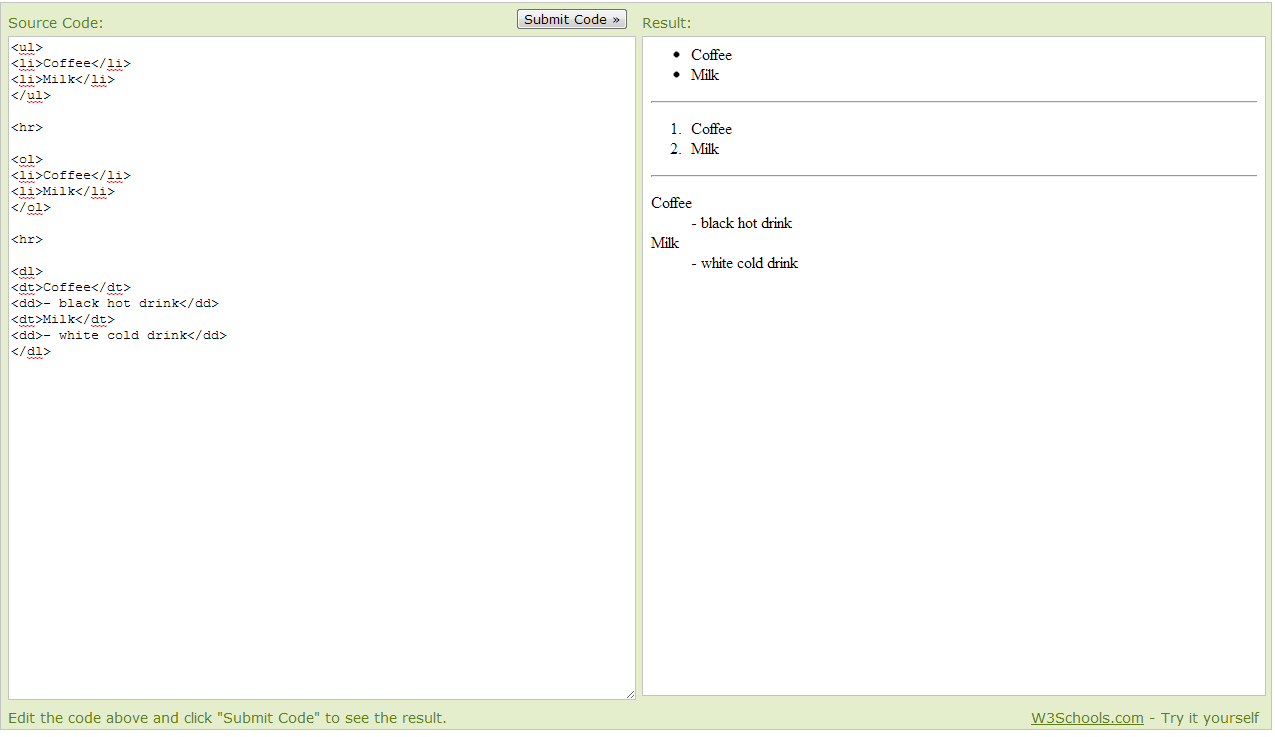
(圖的左邊為HTML,右邊為結果)
根據結果
可以看到 由上而下
第一列為 沒順序之表單
第二列為 有順序之表單
第三列為 有敘述之表單
碰到的結果
認識這三種方法後,試圖把有順序之表單跟有敘述之表單結合 ,可惜不會融會貫通 做不出來!
2012年10月22日 星期一
LAB 17
一.
1. Using Microsoft Notepad, Copy and paste the HTML example at
Introduction to HTML
2. Save the file as myfile.html
3. Open the file using Firefox.
二.
New editor
4. Enter
http://www.w3schools.com/html/tryit.asp?filename=tryhtml_basic
5. Copy and paste the HTML example at
Introduction to HTML
6. Verify your results on the screen.
7.
Repeat the work for
HTML Elements
HTML Headings
HTML Paragraphs
HTML Links
HTML Images
HTML Elements
>> 看不懂這個範例在幹嘛
所以解讀成 <br> 跟 連結的範例
2012年10月15日 星期一
lab15
於google所顯示的cookie
blooger無顯示任何cookie
LAB14
以PageRank量測網站
紐約時報 9
CNN 8
台灣雅虎 8
蕃薯藤 7
PCHome 購物 585ST影城 1
EYNY論談 5
LOL官方網站 3
2012年10月8日 星期一
LAB13
GOOGLE 投影片
LAB10
中原大學 (簡體版)
2012年10月1日 星期一
LAB9
1.Operating system support
除了有支援Windows(64bit&32bit)
Firefox和Chrome支援了Mac和Linux
2.Bookmark management
Firefox將書籤和RSS整合在一起,
更
可以為書籤增加標籤
Chrome將書籤及歷史紀錄獨立出來, 無RSS功能
3.
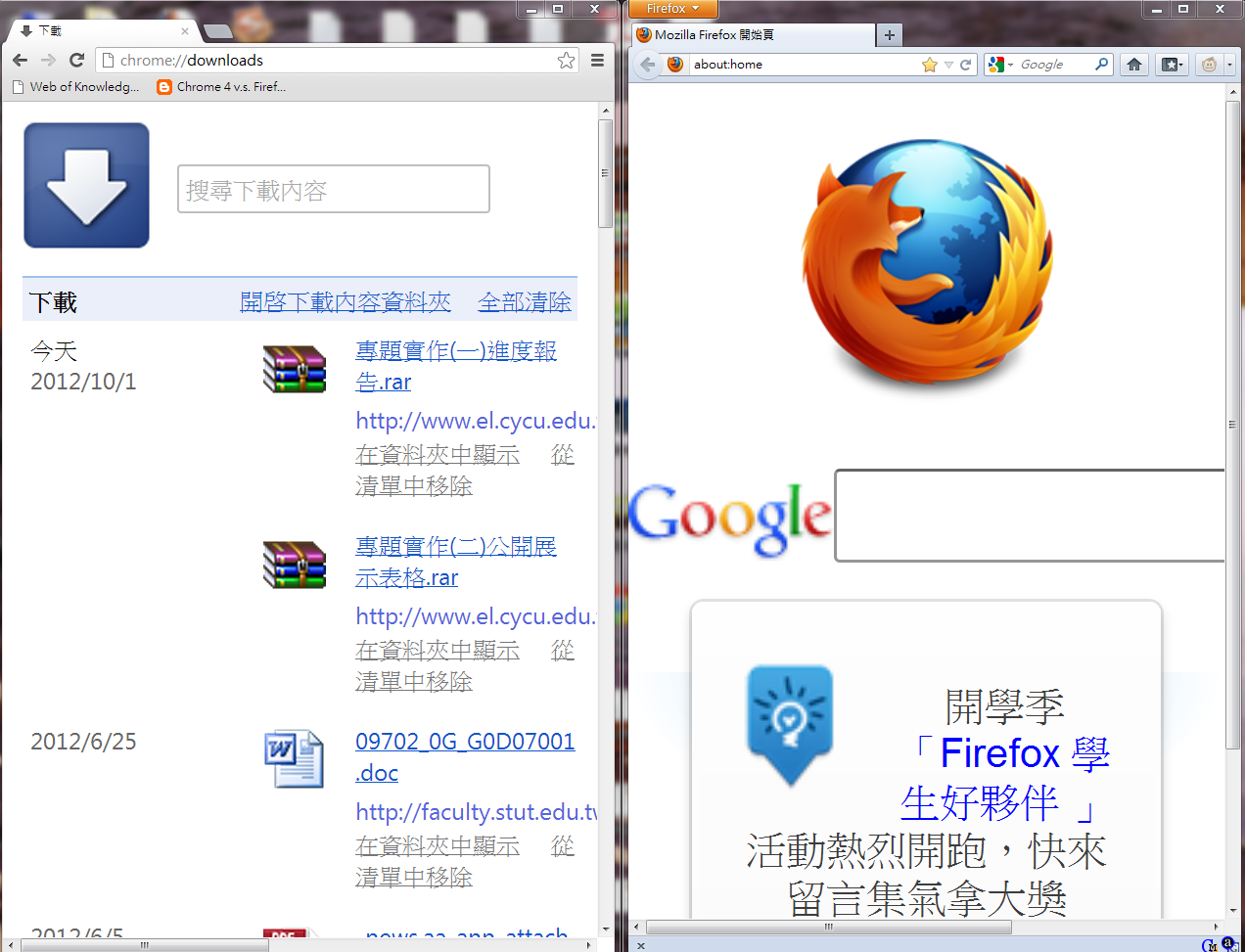
Download management
4.Password management
Firefox和Chrome可個別管理儲存的帳號密碼(並且自動記錄)
5.Form Management
6.Spell checking
7.Search Engine toolbar
Firefox能使用右上角的toolbar
Chrome則可以直接在網址列上搜尋
8.Privacy mode
2種瀏覽器皆有
9.Auto update
LAB8
除了不用SVE外,體驗到共用文件非常危險須提防夥伴居心不良!! :)
2012年9月24日 星期一
Lab 4
SIZE :
中原
1,200,000
中正
1,430,000
台大
3,130,000
元智
1
,750,000
Visibility:
中原
310
中正
449
台大
1,180
元智
239
Rich Files
:
中原
37800
中正
115000
台大
547000
元智35000
Scholar
中原
7980
中正
6280
台大
52300
元智3710
WR
中原247022
中正
304416.5
台大716485
元智367926
LAB6
2012年9月17日 星期一
中原大學
檢視較大的地圖
LAB 1
嗨 !
首頁
訂閱:
文章 (Atom)